See the Smart Link Transformation
https://youtube.com/watch?v=Qx4R2Y8kM9A
https://linkyt.in/youtube-demo
🎨 creators
Preserving likes, comments, and subscriber conversions on Instagram Reels and YouTube Shorts by ensuring fans are routed directly into the native app where they are already logged in.
🏢 businesses
Reducing customer support friction and abandoned inquiries by enabling direct, one-click WhatsApp click-to-chat routing without forcing users to save phone numbers.
💰 affiliates
Protecting affiliate attribution cookies and commission payouts by forcing native e-commerce app opens (such as Amazon or Flipkart) where users have saved payment methods.
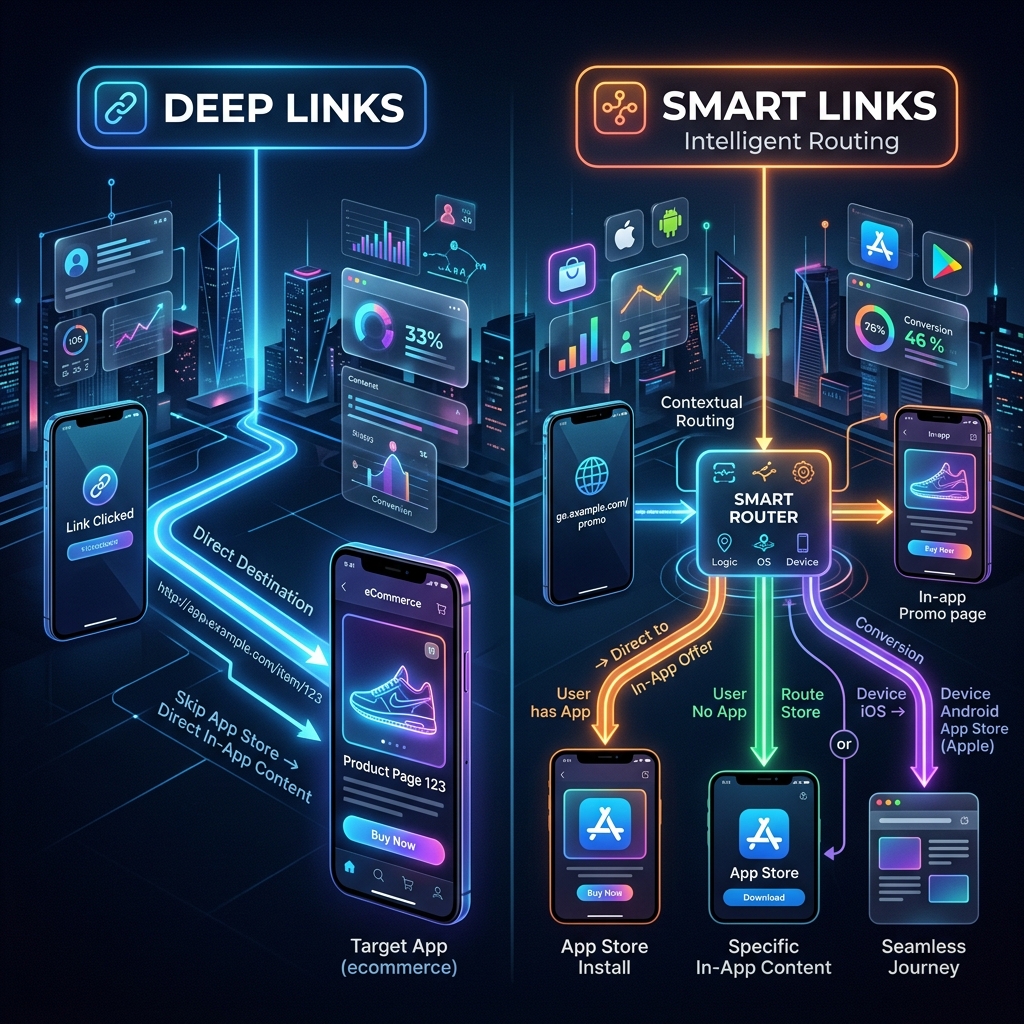
Core Differences: Deep Links vs Smart Links
| Capability | Smart Links (Linkyt) | Standard Deep Links |
|---|---|---|
| OS & Device Detection | Automatic (iOS, Android, Desktop) | None (Static routing) |
| Fallback Behavior | Intelligent App Store or Web routing | Broken error page if app missing |
| Analytics Tracking | Full device, country, and CTR graphs | Basic server logs only |
| Setup Complexity | Zero-code, instant generation | Requires app manifest configuration |
Try generating a smart link below
Test the instant native app routing engine for yourself. No login required.
Deep linking and smart linking are often used interchangeably, but they serve fundamentally different functions in the mobile routing ecosystem. A standard deep link is a direct URL scheme that points to a specific screen within a mobile application. However, if the user does not have the app installed, a standard deep link fails entirely, resulting in an ugly browser error.
This is where smart links bridge the gap. A smart link acts as an intelligent routing engine. When a user clicks a Linkyt smart link, our sub-100ms redirect engine evaluates their device environment and instantly routes them to the native app if installed, or gracefully falls back to the appropriate app store or mobile web view.
The In-App Browser Trap
Social networks like Instagram, TikTok, and LinkedIn intentionally trap users inside their own custom in-app browsers to keep them from leaving the platform. When you share a standard YouTube or e-commerce link in your Instagram bio or story, clicking it opens a stripped-down web preview where the user is not logged in. This friction destroys conversion rates.
Using a smart link generator bypasses this walled garden entirely, forcing the native app to open and preserving your hard-earned engagement.
Ready to stop losing clicks?
Join thousands of creators and developers who rely on Linkyt for flawless app deep linking and calendar-accurate analytics.
Create Free Smart Link →